Import your first rental contract
The best way to start using rAInty is to import a real rental contract.
That is where rAInty starts building the organized memory of your rental activity.
A contract already contains many important details: owners, tenants, property address, duration, rent, security deposit, and rental rules. Instead of entering everything manually, rAInty reads the document and guides you through checking the extracted information.
The goal is not to fill in complicated forms.
The goal is to turn a PDF into organized, connected information that remains easy to retrieve over time.
First access
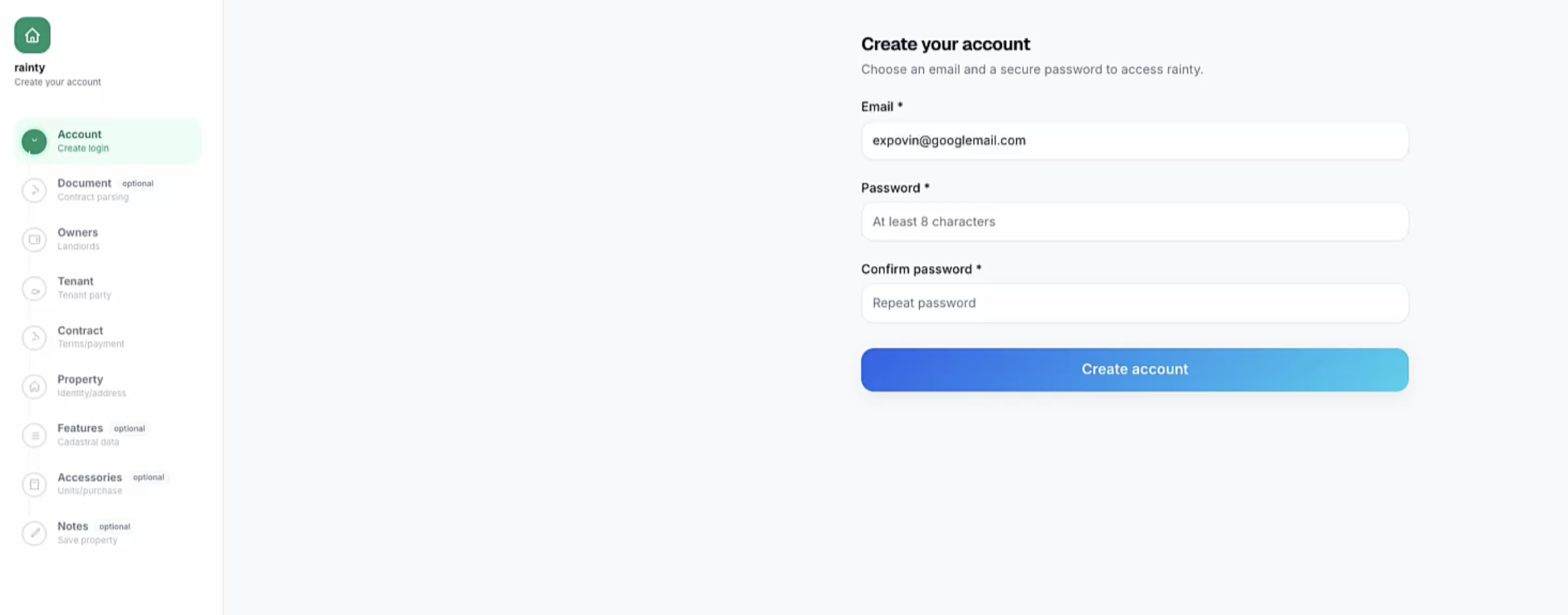
After receiving the invitation link, create your account, choose a password, and confirm your email address.
Once you log in, you can start configuring your first rental activity.
Upload the contract
Open the contracts area and import the rental contract document.
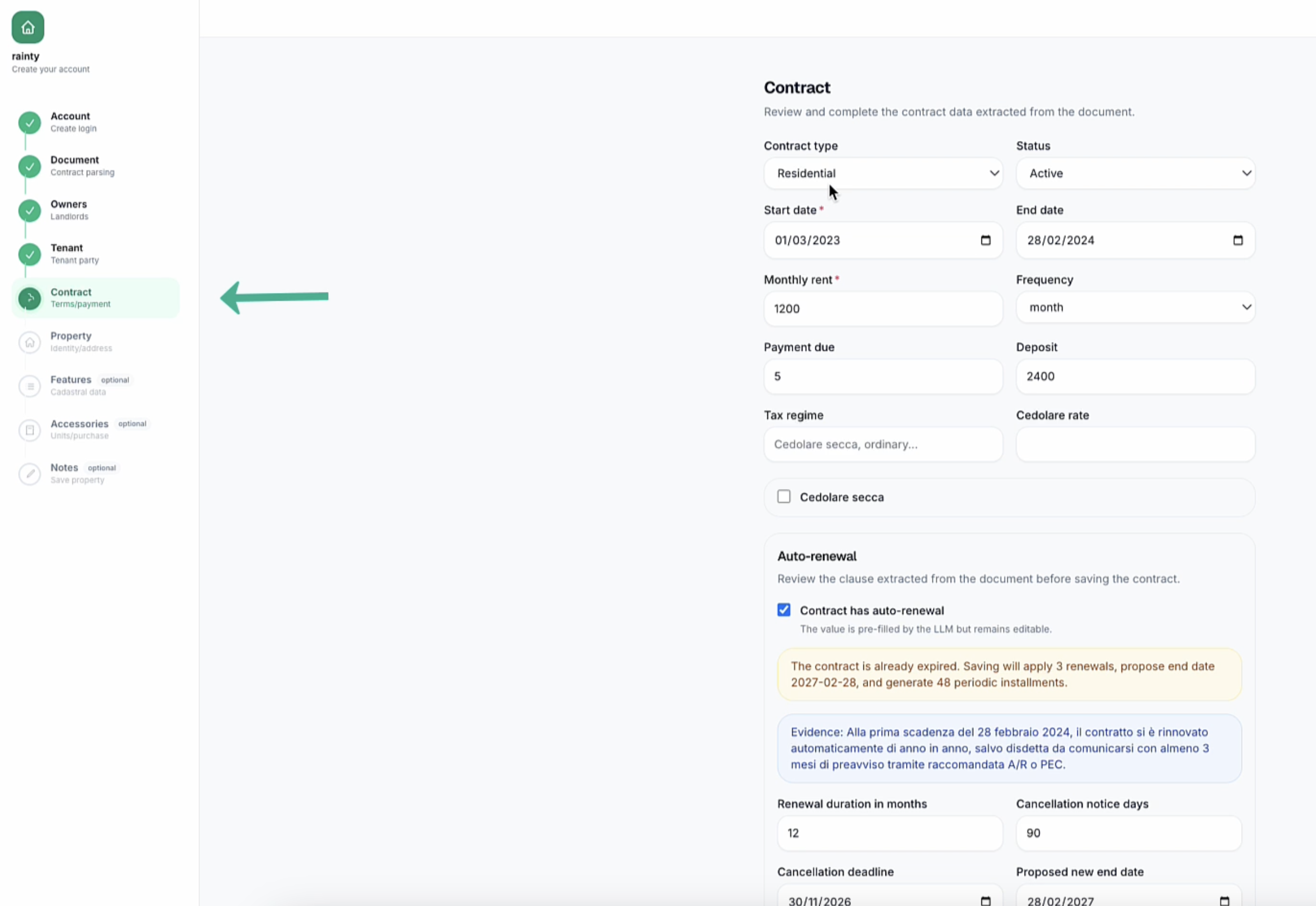
rAInty analyzes the document and identifies the main entities and details, including:
- owners;
- tenants;
- property data;
- contract duration;
- rent;
- security deposit;
- automatic renewals;
- operational information.
Your role is to verify the extracted information and correct or complete anything missing.
Connected information
rAInty links owners, property, contract, future payments, documents, and operational activities.
This lets the platform progressively build an organized memory of the rental activity.
Expired or automatically renewed contracts
You may import a contract that is formally expired but still valid because of automatic renewal.
rAInty helps track the real state of the rental relationship, including whether the contract is still active, when it expires, and whether actions or checks may be needed.
After import
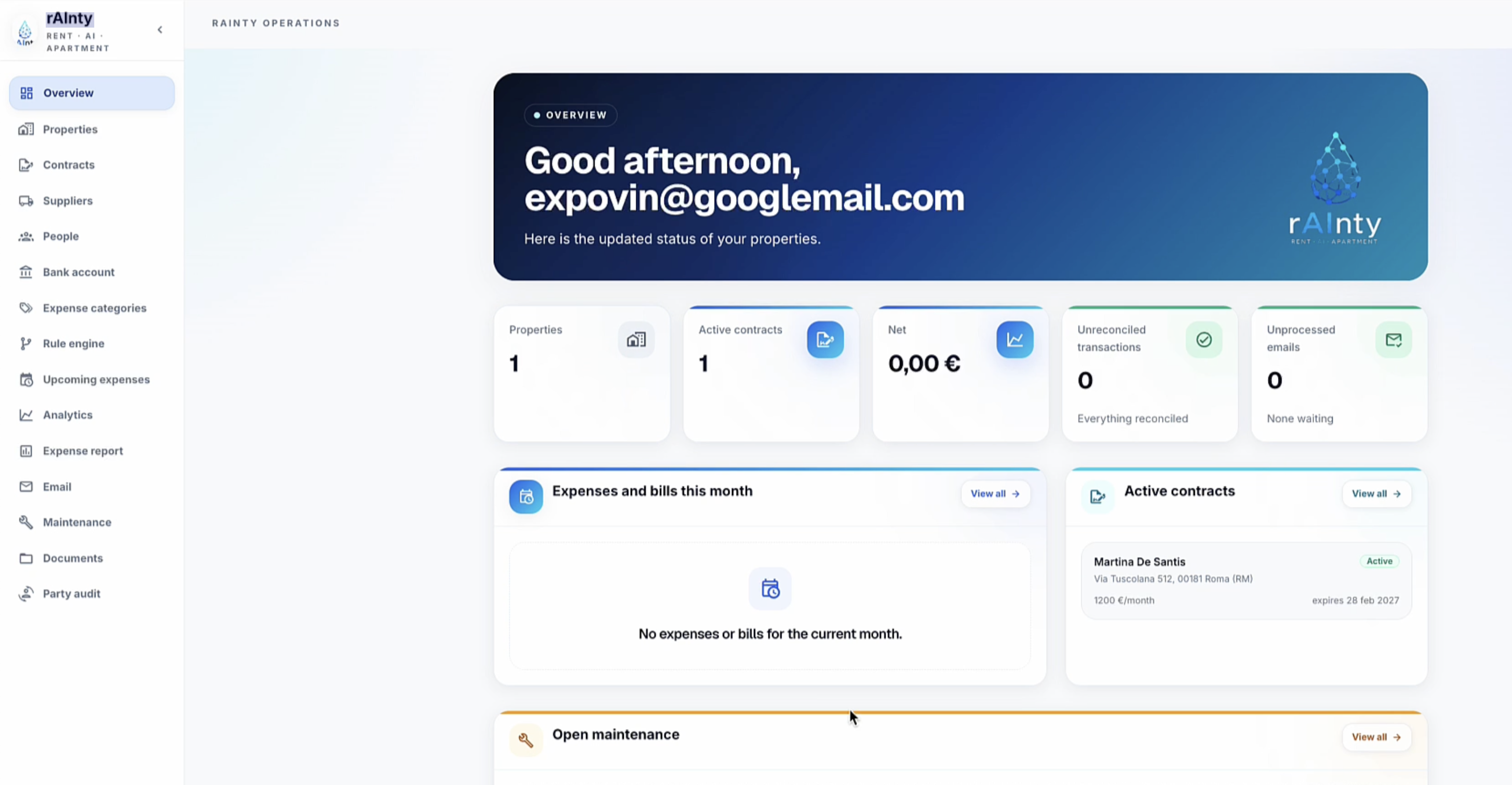
After the process is completed, the information is available from the overview and connected pages for properties, contracts, parties, documents, suppliers, and future activities.
The real value is not simply storing a PDF. It is transforming that document into living, organized, connected information.
Video
Domande frequenti
Devo usare per forza un contratto reale?
È il modo migliore per iniziare, perché un contratto reale contiene già molte informazioni utili: proprietari, inquilini, immobile, durata, canone e regole della locazione. Puoi comunque verificare e correggere tutto prima di confermare.
rAInty compila automaticamente tutte le informazioni?
rAInty prova a leggere il documento e a precompilare le informazioni principali. Alcuni dati possono richiedere conferma, correzione o completamento manuale, soprattutto se il PDF è poco chiaro o il contratto contiene informazioni ambigue.
Cosa succede se il contratto è già scaduto ma si rinnova automaticamente?
Durante l’importazione puoi verificare durata, scadenza e rinnovo automatico. rAInty usa queste informazioni per rappresentare lo stato reale della locazione e aiutarti a capire se il contratto è ancora attivo.
Posso correggere i dati estratti prima di salvarli?
Sì. L’obiettivo della procedura è guidarti nella verifica delle informazioni. Puoi correggere o completare i dati prima che vengano organizzati e collegati nella piattaforma.
Dopo l’importazione posso ritrovare il contratto e le informazioni collegate?
Sì. Al termine dell’importazione le informazioni vengono collegate a immobili, contratti, proprietari, inquilini, documenti e attività future, così puoi recuperare il contesto più facilmente nel tempo.